Bills from suppliers
Enter a bill once and Karr books the cost, the tax you can claim back and what you owe.
1.The real screen, shot on a demo business.
Demo data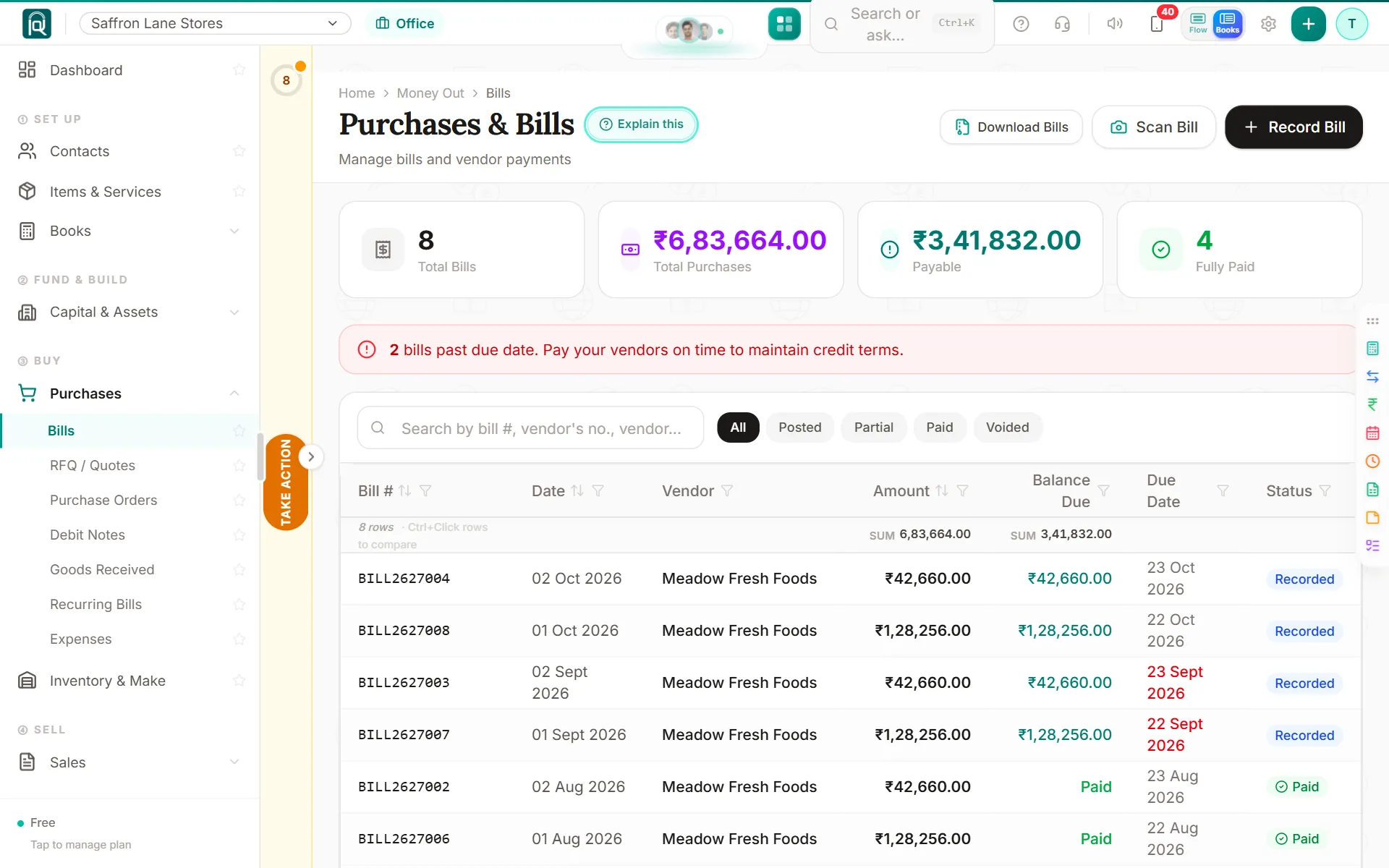
A bill is an entry the moment you save it. The cost goes to the right account, the tax you can claim is kept apart, and the supplier balance moves.
- Who it is for
- A business owner, an accountant or a firm
- Where it works
- Every country Karr serves (30)
Since it shipped
A cell you cannot fill says why
On a service or a line with no item, Batch, Expiry, MRP and Sell at say so; a press says what to do instead.
Every column from the start, and widths you drag
Batch, expiry, MRP and Sell at show from the start; drag a heading to resize; a half-filled bill waits on Act now as a draft.
The amount stays in view on every line
A bill's Amount stays beside each line's icons however narrow the window; an item's prices are one press on its (i).
The vendor's own bill number, on the bill
A purchase bill keeps the vendor's bill number, refuses the same bill twice, and the tax portal's list matches it.
An opened bill or invoice shows its table
Opening a posted bill or invoice shows its lines in the same table they were typed into: item, qty, rate, discount, tax and amount.
Browse every item, add one from the top
The Item cell has a dropdown of every item, "Add as a new item" sits at the top of the list, and a new line starts at quantity 0.
Half-filled lines stop the post; row buttons
A line missing its item, quantity or rate is named instead of dropped, and each row adds a line above or below or removes it.
Hide a column you never use
On a purchase bill, any extra column can be hidden from its heading; Karr says what it is for and remembers. New or Used is a dropdown.
A bill asks what you paid on its own screen
Before a bill is posted, Money paid asks No, Part or Full, as an invoice asks what you received. Short lists show every row on a phone.
A bill on a phone is a list of lines
On a phone a bill is a list of lines; tap one to change it, and Next line moves on.
A long bill is typed like a spreadsheet
Enter moves on, and batch, expiry and MRP sit in the row, filled from the last bill. On a laptop.
Items you usually buy used start on Used
Karr remembers how you last bought each item, so its next bill line starts on New or Used, and the item form can set it too.
One strip of checks under a bill's lines
Everything Karr wants checked on a bill is one strip at the bottom, each with its count. Nothing opens by itself.
Paste a bill from Excel, set many lines at once
Paste rows from Excel, press Ctrl+D to copy a value down, or select lines and set one expiry or MRP for all of them.
A bill line says what you paid last, and to whom
Pick an item on a bill: Karr fills the rate this vendor charged last, and says when another was cheaper or a rate looks mistyped.
Edit a bill, same number
A bill whose goods are still on the shelf opens with Edit: fix a rate or a quantity, and Karr keeps the number and the old version.
Freight goes into the cost of the goods
Freight and duty on a bill of goods can be added to their cost. Items bought in cartons stock the pieces.
New or used, on every goods line of a bill
Tap Used on a goods line of a bill to stock that piece as its own unit, sold on your margin; it turns on used-goods selling.
Open a bill and read every line on it
A bill now opens to each item with its quantity, rate, tax, batch and expiry, the tax split by kind, and every payment made against it.