Bring your books with you
Bring in customers, items and balances from a sheet, or whole books from TallyPrime, Busy, Marg or Vyapar.
1.The real screen, shot on a demo business.
Demo data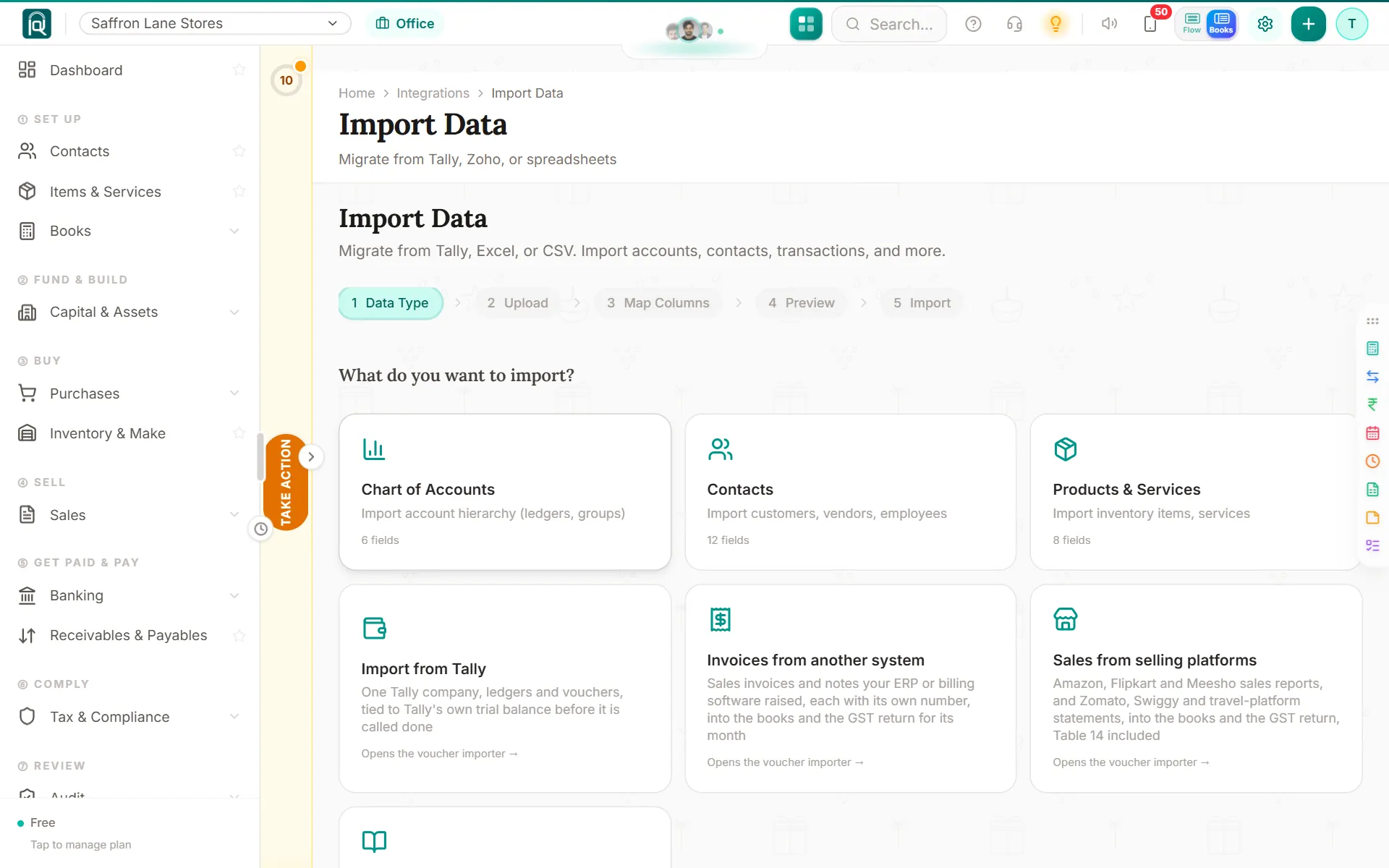
Karr reads your old ledgers, remembers where each one goes, and ties the totals before it calls the move done. Papers you upload are read into bills and invoices.
- Who it is for
- A business owner, an accountant or a firm
- Where it works
- Every country Karr serves (30)
Since it shipped
Opening balances from a file ask their date
A trial balance brought in as your opening asks its date, and posts nothing unless it ties and every ledger is a balance-sheet one in Karr.
An office entry Tally gets too is never posted twice
When Tally gets an entry the office already made in Karr, Karr holds it back and asks once on Import from Tally if it is the same.
Plain words for groups, Busy and the Security page
Group menus read "By person", the checklist says "Once", Busy shows only working steps, and Security names our statement reader.
The Tally connector window says whether the books tie
Green only when Karr tied the books; otherwise it sends you to Settings, Books connector. Stock is read as at the books' first day.
The Tally tie shows the office's own adjustments
Import from Tally shows the entries the office made in Karr, opens them, and lets the office name or reverse one.
The Tally connector sends only what changed, from one PC
The half-hour run sends only the months that changed in Tally, and a connector key works only from the PC it was set up on.
Vyapar's money and Trial Balance come into Karr
Share All Transactions, the party list and the Trial Balance from Vyapar: Karr opens the year and ties its books to Vyapar's.
Bring Busy, Marg and Vyapar books again
An edited or deleted voucher in Busy, Marg or Vyapar comes in again on its own date, and the banner names the software and the company.
Sales and purchases come in as your software has them
Books brought from another software keep each sale and purchase with its own tax and round-off, and a receipt sits on the bill it names.
The half-hour Tally run no longer reads as a broken tie
The 30-minute run posts the last two months and says it was not checked against Tally's totals. The nightly run checks the whole books.
The Tally connector brings your opening stock
Books that start on the connector open with Tally's own stock, not a difference in opening balances. Download it again to get this.
The Tally connector closes each year with its stock
Each night the connector reads Tally's closing stock for every finished year. Years your books already close keep theirs. Download it again.
Vyapar's Sale and Purchase reports come into Karr
In Vyapar press the xls icon and share the report to Karr: each bill lands on the review list with its items. Your backup is never opened.
Zoho Books connects by sign-in
Sign in to Zoho and pick your organisation: Karr reads the books, read only. Nothing posts until each year agrees with its Trial Balance.
Zoho Books kept in step every hour
Books mirrored from Zoho Books are checked every hour; a document edited, voided or deleted in Zoho is reversed in Karr on its own date.
A voucher deleted in Tally now leaves Karr too
Once every month of a run arrives, the connector takes it out of Karr on its own date, and Settings says what it took out.
An import left before its last press comes back to it
Post a Tally import and leave before Keep mirroring Tally: the page now opens on that press, now also at the top.
Every Tally export screen, line by line
Each Tally upload box and year row shows the whole export screen in Tally's words: what to change, what to leave, and why.
Import from Tally opens where your books stand
A connector run that stopped at Map opens on Map. Books already brought in open on where they stand, not on the upload boxes.
Know every file to export before you upload
The import page lists every year to export, with the dates to type and one box per yearly sheet, to send on WhatsApp.
Tally's layout puts each group on Tally's side
A group whose balance falls on the other side, like creditors paid in advance, now prints where Tally prints it.
The Tally connector keeps Karr 30 minutes behind Tally
One folder per company, a picture of every TallyPrime screen to press, and Settings shows the months arriving as the PC sends them.
Books from another software now say how old they are
Settings, Books connector shows the day the books were true in Tally, and whether they tie to Tally's own figures.
Notes say what they were in your old software
A note brought in under its own voucher type, such as Sales Return in Tally, now says so under its number in the list.
Your old numbers stay your old numbers
Books brought from another software keep each voucher number exactly, year by year, and What Karr changed stays on the page after Finish.
Balance Sheet in Tally's layout, one press away
Books brought from another software read in that software's own groups and order, beside the statutory form.
Stock and year breaks as the other software has them
Each year closes on the other software's own stock, the open year on the export day; an opening typed over sits on its own line.
One upload panel for books from other software
Tally asks for all four files in their own boxes, under the software you pick: Masters, Day book, Trial Balance and Stock Summary.
Bring your books from other software, first on Import Data
It names the company the books came from, gives each file its own box, and ticks each year's trial balance as it is added.
Each year from Tally closes with its stock
Import from Tally books every year's closing stock from Tally's own Trial Balance, so stock and profit match Tally year by year.
Every year's own figures, asked for before anything is read
Switch to Karr lists each year's own figures from the vouchers, places each sheet by its heading, and posts once every year agrees.
Tally openings on the right side
Import from Tally puts each opening on the side Tally keeps it and finishes only when every ledger agrees with Tally's own Trial Balance.
Switch to Karr: every year ties, not just the last
Bring several years and the Tie step shows one row per year, each held to that year's own figures, its ledgers a tap away.
Bring a Busy company into Karr
Zip the Busy company folder and drop it in; Karr posts only once every ledger agrees with Busy to the paise.
Bring a Marg company into Karr
Drop what Marg's Export to Tally writes and its Trial Balance; Karr posts only once every ledger agrees to the paise.
Import from Marg reads a real Marg export
Openings, group names, opening stock off the items and invoices Marg writes out of balance now come in as Marg means them, each named.
Import from Marg ties to Marg's Trial Balance on its date
A voucher dated after the Trial Balance, and a purchase ledger Marg files under a tax group, are named, so a real export ties to the paisa.
Switch to Karr: one page for every package
Pick the software, see what comes across and what cannot, and drop every file in one box: Karr sorts each by what is inside it.
A Vyapar phone import checks against Vyapar's Balance Sheet
Karr shows its figures in the words of Vyapar's Balance Sheet, and posts once you confirm they agree.
Bring your Vyapar books over, from the phone or the computer
Upload the Vyapar backup and its trial balance: Karr reads them on your device and ties every party to Vyapar's own balance.
Tally and Vyapar imports keep the party on every entry
An imported journal keeps its customer or supplier, and money paid on a Vyapar bill settles that bill, so the Balance Sheet splits by party.
A Tally import ties to Tally, ledger by ledger
Stock, tax and voucher numbers go in as Tally keeps them, and each voucher not posted says what to do next.
Import from Tally reads TallyPrime as it is
The steps name TallyPrime's own menus, books start from the day book, and Profit & Loss A/c places itself.
The Tally connector is one download
Download it before importing anything: the first run reads the company open in Tally, then you choose Mirror or Move.
Invoices from your other system
Invoices raised in another system arrive through one door: a file you drop, a setting, or the developer interface.