Told once, used everywhere
Your address, tax number, signatory and letterhead live in one place and fill every document.
1.The real screen, shot on a demo business.
Demo data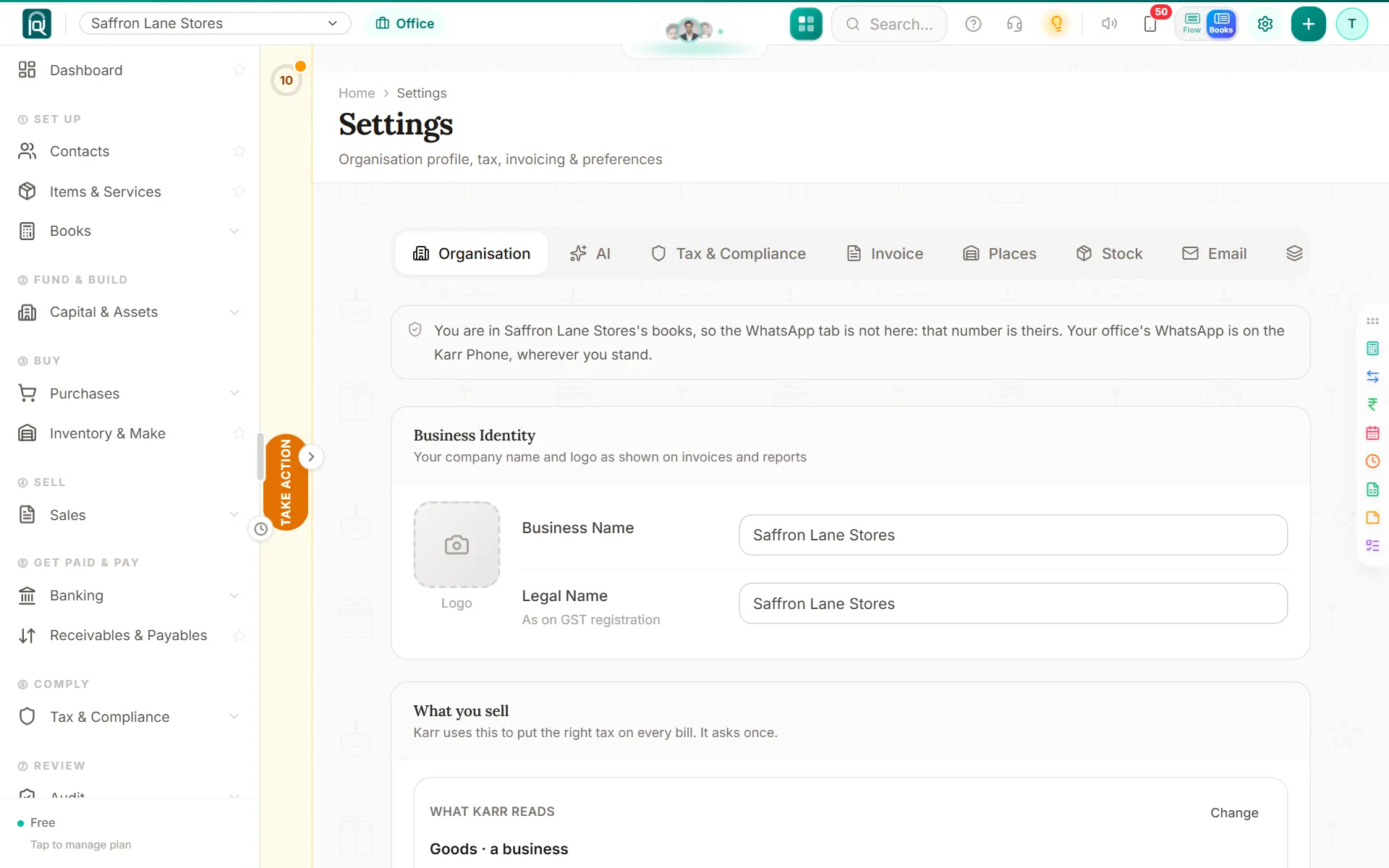
Change a fact once. Every invoice, letter and report uses the new one from then on.
- Who it is for
- A business owner, an accountant or a firm
- Where it works
- Every country Karr serves (30)
Since it shipped
A UAE business reads Karr in English, in dirhams
English months, money as AED 1,234.50, VAT and TRN in the words, a TRN checked as 15 digits, and no row that only applies in India.
A clear way back in Settings
Every page and form in Settings now has a Back button naming where it goes, and the steps above the title are plain links.
Every line of Settings says what is set
Each line in Settings says what is set, a line that does not apply says why, and To finish lists what is missing on every page.
Settings, one short list at a time
Settings opens on six groups; each shows a few lines saying what is set, and Find looks inside every setting by its plain name.
Each tax registration names its own signatory
Who signs a registration's returns is set on its own page, and one connected while the page is open shows Connected at once.
A recovery code, and a locked copy every day
Own places now send a locked copy of the books each day that only your recovery code opens, and lost books come back on a new computer.
Own places stay readable on a slower computer
A business on its own server or computer is now checked where it costs nothing, so a slow machine no longer looks down.
When the books computer is off, every device says why
If the computer holding your books sleeps or switches off, every device now says so, by name, and goes on by itself when it is back.
Work straight from the office
Inside the office, devices can now reach the computer that holds the books directly, after one question from Karr and one from the browser.
This computer: your books on your own PC or laptop
Your books can now live on your own Windows PC or laptop, the way Tally keeps them. Open to pilot businesses once the download is signed.
Settings keeps its list beside you
On a laptop the Settings list now stays in place while the page scrolls, and every section you pick opens at its top.
Settings by place
Settings has its own list: the company first, then each registration with its branches under it, each on its own page.
Settings folds to one line a card
Every card in Settings folds to its title and what is set, opens with a press, and stays open by itself when something needs an answer.
Settings says which registration and branch you are in
A band stays on top of a branch in Settings: the place, the company and its tax number, with Change; headings follow one scale.
The invoice names its place
Every tax registration has a main place, the default branch is Head office, and an invoice raised elsewhere says "Billed from" that place.
Settings is back to the tabs you know
Settings has its familiar tabs again: Organisation, Tax, Branches, Invoice, Email and the rest, each where it was.
A branch inside a branch
Put the restaurant inside the hotel, mark each branch a cafe, shop, office or warehouse, and read its profit with the branches inside it.
Branches and tax numbers on one tab
Each branch sits inside the card of the tax number it bills under, with who signs and how it connects, in numbered steps.
The security page says only what runs today
The security page says what is still being switched on, lists your side of each control, and takes a wrong figure as a report.
Azure, Google Cloud and your own name
Your own server can now live in your Azure or Google Cloud account too, and answer at a name of your own beside Karr's address.
Move your books to your own server with one press
Once your own server is ready, press Move my books there: Karr checks every figure on both sides before anything changes.
Order a box for your office
Order an always-on box from Settings, Your data: plug it into power and your router, scan its card, and it sets itself up.
Your books on your own server, by contract
Karr can now run on a server your business owns; sign-in finds it, and Settings, Your data shows its backup and release.
Your own server in your DigitalOcean or AWS account
Sign in to DigitalOcean or AWS once from Settings, Your data, and Karr makes your server there and sets it up.
Your own server, set up from one line
Choose My IT person in Settings, Your data: one line to hand over, and each step shows on your screen as Karr sets it up.
Your services and proposal templates
Settings, Services & packages keeps what your office does and its fees, and packages you reuse as proposal templates.
A live copy of your books on your own server
Settings, Your data can now keep a read-only copy of your books on your own Postgres, seconds behind, checked against Karr every night.
Your data: every export, CSV, JSON or Tally, in one place
Your data now holds all three exports, and the Tally file carries your ledgers too, so your books open in an empty Tally company.
"Are you any of these?" is sorted under headings
What you sell now groups the special kinds of business under eight headings, such as Legal, Health and Trading.
See where your books live, and take everything with you
Settings, Your data shows your books are in Mumbai, who at Karr can read them, exports everything, and keeps a sealed copy each night.
What you sell gives each option its full tax rule
Customers abroad have their own heading, a company cannot tick advocate, and each option says who pays the tax.
Help and Karr support, beside the search box
The ? beside the search box finds where anything is, explains the page, or writes to Karr support naming the page you were on.
Improve Karr: ask for a feature, with screenshots
The lightbulb beside the search box sends Karr what to add or change, with screenshots or a video. Our answer comes to your bell.
Ask the search box where anything is
Type what you need in your own words, English or Hindi, and the search box shows the three places in Karr that do it.
Not in the three places? Ask AI
When the search box has not shown the right place, one press asks your own AI key to pick it, and you see exactly what is sent first.
One way onto paper
Every printed sheet keeps room for your letterhead, the same way on every document.