Your team, each with their own keys
Staff get their login from Payroll; your auditor and accountant are invited from outside. Each sees only their work.
1.The real screen, shot on a demo business.
Demo data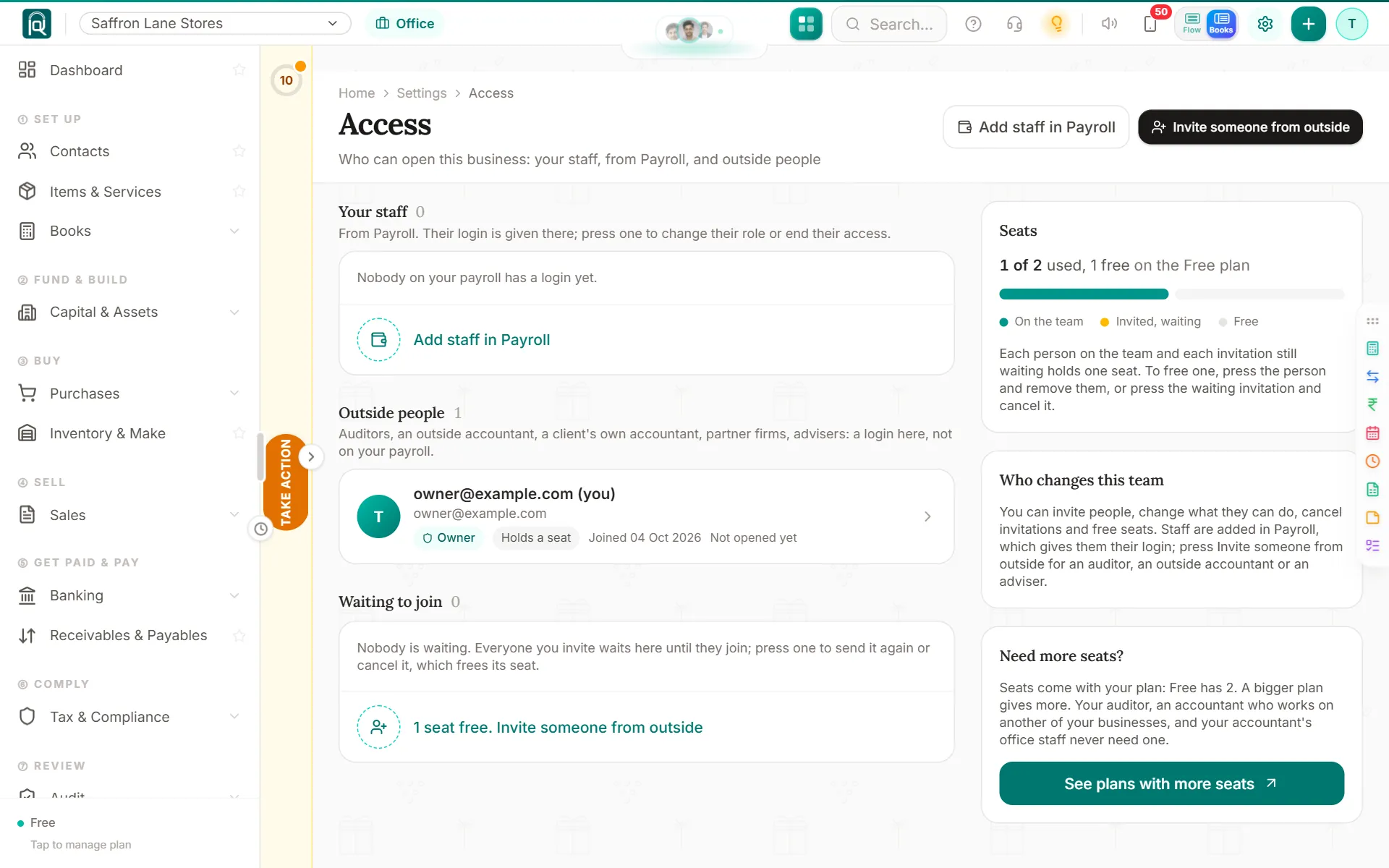
A role decides what a person sees and what they can change. Salaries stay with the people who run the payroll.
- Who it is for
- A business owner, an accountant or a firm
- Where it works
- Every country Karr serves (30)
Since it shipped
When a free period ends, the message opens your plan
If a free or paid period has ended, the message now says who can pay, that your books are kept, and opens Plan and billing.
Free extras from Karr, with their end date
Extra seats, a feature or a longer free period from Karr now show in Plan & Billing with the day they end.
An accountant and an auditor on every business, free
Each business you own now has its own free seat for your accountant and one for your auditor, outside your plan's seats.
Team in four tabs; new clients show at once
Team opens on a Dashboard, then Members, Who does what and Clients. A client given to someone shows on their screen without a reload.
Access: your staff come from Payroll
Team & Roles is now Access, in two parts: your staff, whose login is given in Payroll, and outside people like your auditor.
See who holds every seat
Team & Roles names everyone on your books and everyone you invited, with the day and time, and frees a seat in two presses.
Your accountant's staff never use your seats
Your accountant's office staff are listed apart and never use your seats. Team & Roles says who can add people and how to get more seats.
Payroll stays with the payroll desk
Salaries and staff records are open only to owners, admins and the payroll team, while the office team reaches every client.